If you are a programmer, you must have been in situation when you had to enter same input in same program again and again. The AIC is a simple program which allows you to send automated input to an executable program.
Lets see how?
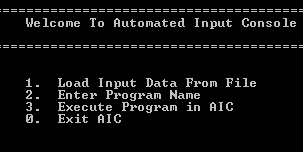
AIC is very easy to work with. You just have to specify a filename which contains all input data to be sent in a program and an executable program filename and you are done.
Prerequisites
- Windows XP (or above)
- Python 2.7/+
- Python PyWin32 module
Installing
- To execute this program you must have
PythonandPyWin32module installed in your computer.
Usage
Once you have installed everything, you just need to execute the
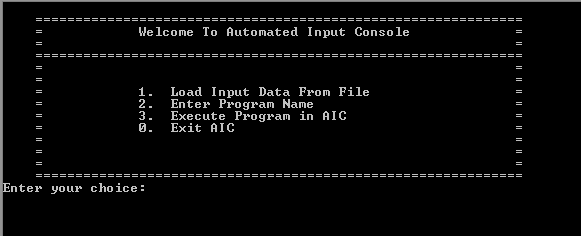
.py(Python) script with python. To execute the script runpython aic.pyin windows command prompt.If executed successfully, you will be prompted with a welcome screen and a menu. First and second options are required to execute the program and automate input transfer. Once input data file and executable program filenames are specified, you can execute that program any number of times.
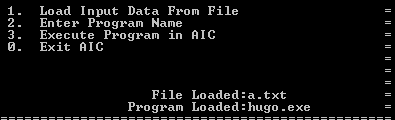
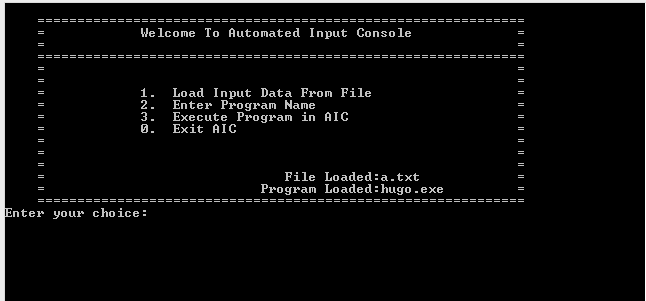
- Above screenshot displays the name of files loaded successfully and we are ready for executing the program.
Example
Below is a simple example of data file which is used to input two numbers in a program:
23
45
Example-2
Below is a simple example of data file which is used to input a string and two numbers in a program:
Amit Kumar
23
10
How this program works?
This is a simple python script which reads a file containing input data and automatically sends that data into a program when that program is executed using AIC.
It uses SendKey method from Windows API which allows you to emulate keyboard input in a program.
This code snippet is used to load input data file and executable program:
if int(choice)==1:
    fname=raw_input("\nEnter file name: ")
    try:
        fin=open(fname,"r")
        data=fin.read()
        fin.close()
    except:
        print "\n\nFailed to open file"
        msvcrt.getch()
        fname=None

if int(choice)==2:
    name=raw_input("\nEnter program name: ")
    try:
        open(name,"rb").close()
    except:
        print "\n\nFailed to Load Program"
        msvcrt.getch()
        name=None
This code snippet is used to send automated input in an executable program
if int(choice)==3:
    shell = win32com.client.Dispatch("WScript.Shell")
    shell.Run(name)
    win32api.Sleep(100)
    while(name not in win32gui.GetWindowText (win32gui.GetForegroundWindow())):
        shell.AppActivate(name)
        win32api.Sleep(100)
    for x in data:
        if(x!="\n"):
            shell.SendKeys(x)
        else:
            shell.SendKeys("{ENTER}")
        win32api.Sleep(10)
But how can I get this program?
AIC can be downloaded from Automated-Input-Console GitHub page.